1. Create an agent
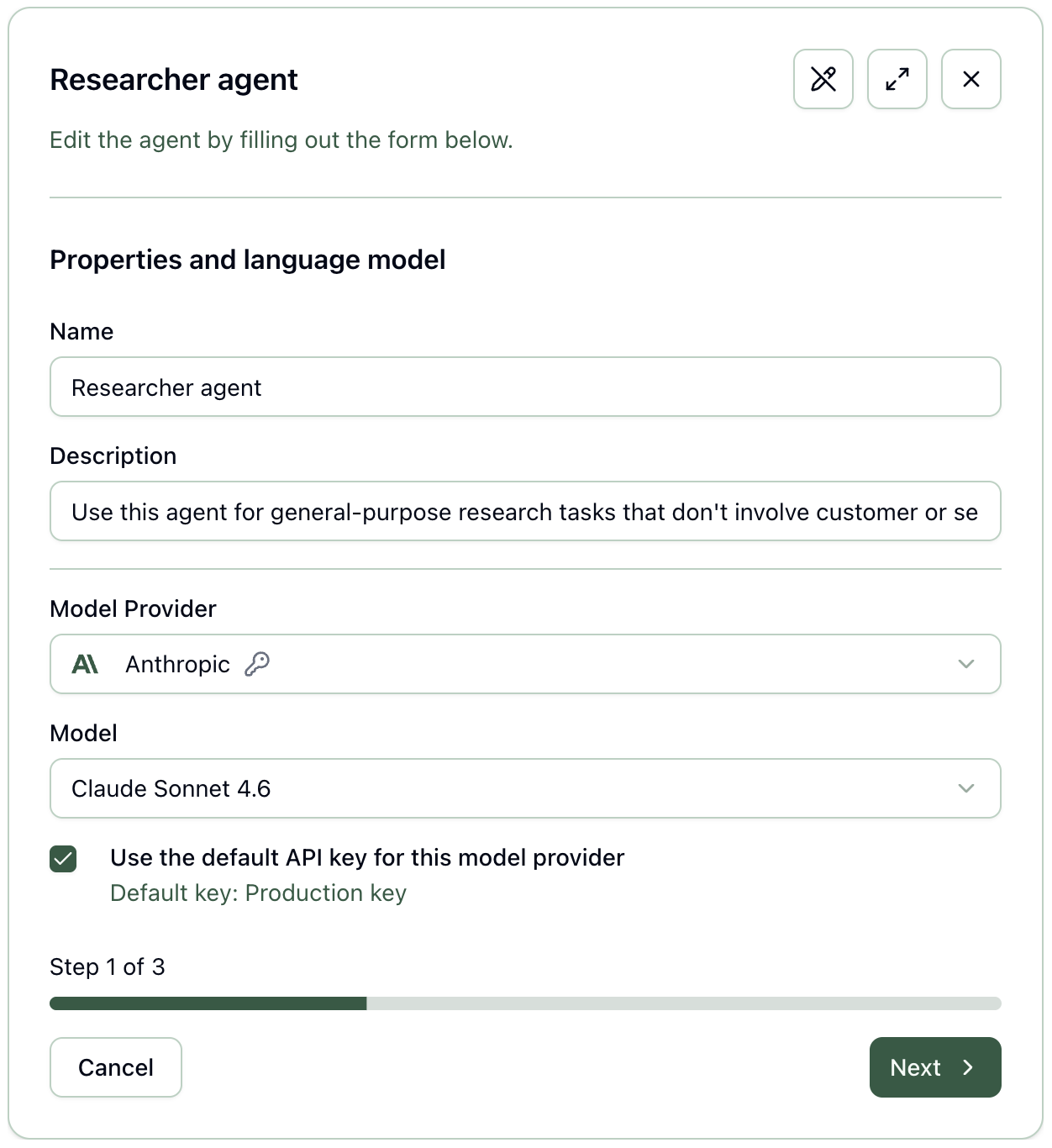
In Runtite, an agent is an AI model with capabilities, triggers, and instructions.
Start by selecting the model to use, which determines the available integrations.
Shared AI workplace for teams
Run agents in a shared workplace with your team.
Chat with them, automate tasks, and review their work.
Runtite is an agent workplace. Your team can create AI agents using any model provider (or your own self-hosted models) and interact with them to get work done.
It allows your team to connect integrations, manage agent permissions centrally, and keep an audit trail of all agent activity.
In Runtite, an agent is an AI model with capabilities, triggers, and instructions.
Start by selecting the model to use, which determines the available integrations.
General integrations
Provider built-in capabilities
Web search Fetch up-to-date information via the model provider's native search
Image generation Create visual assets
Code execution The model can generate code and run it in the provider's sandbox
MCP server Connect external tools through OpenAI and Anthropic MCP support
Give capabilities to your agent. Enable any of our custom integrations, and/or the model provider's built-in capabilities.
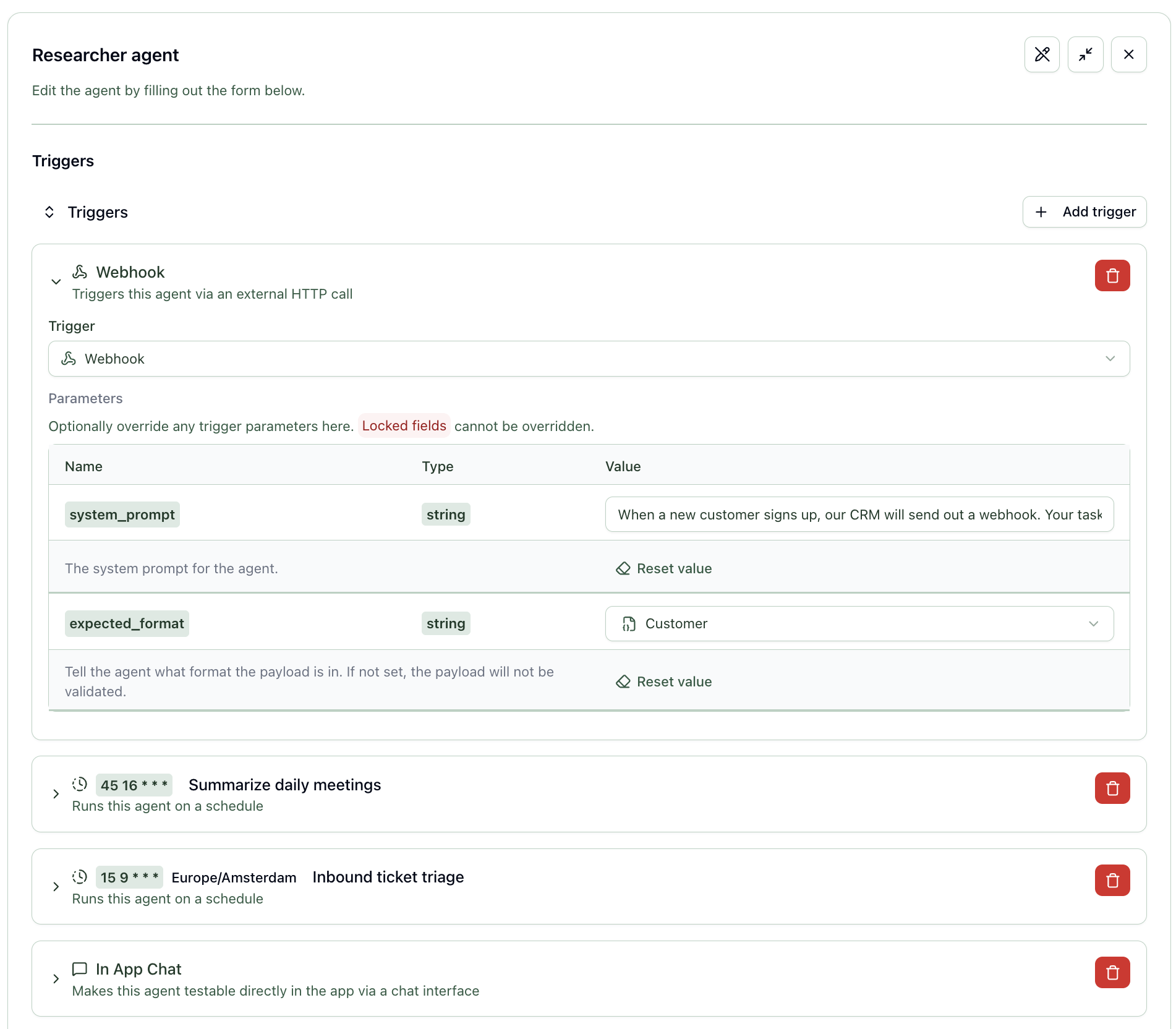
Make your agent available for your team to chat with, configure it to run on a schedule, or get a unique URL to trigger it on-demand.
You can give it different instructions for each of these triggers.
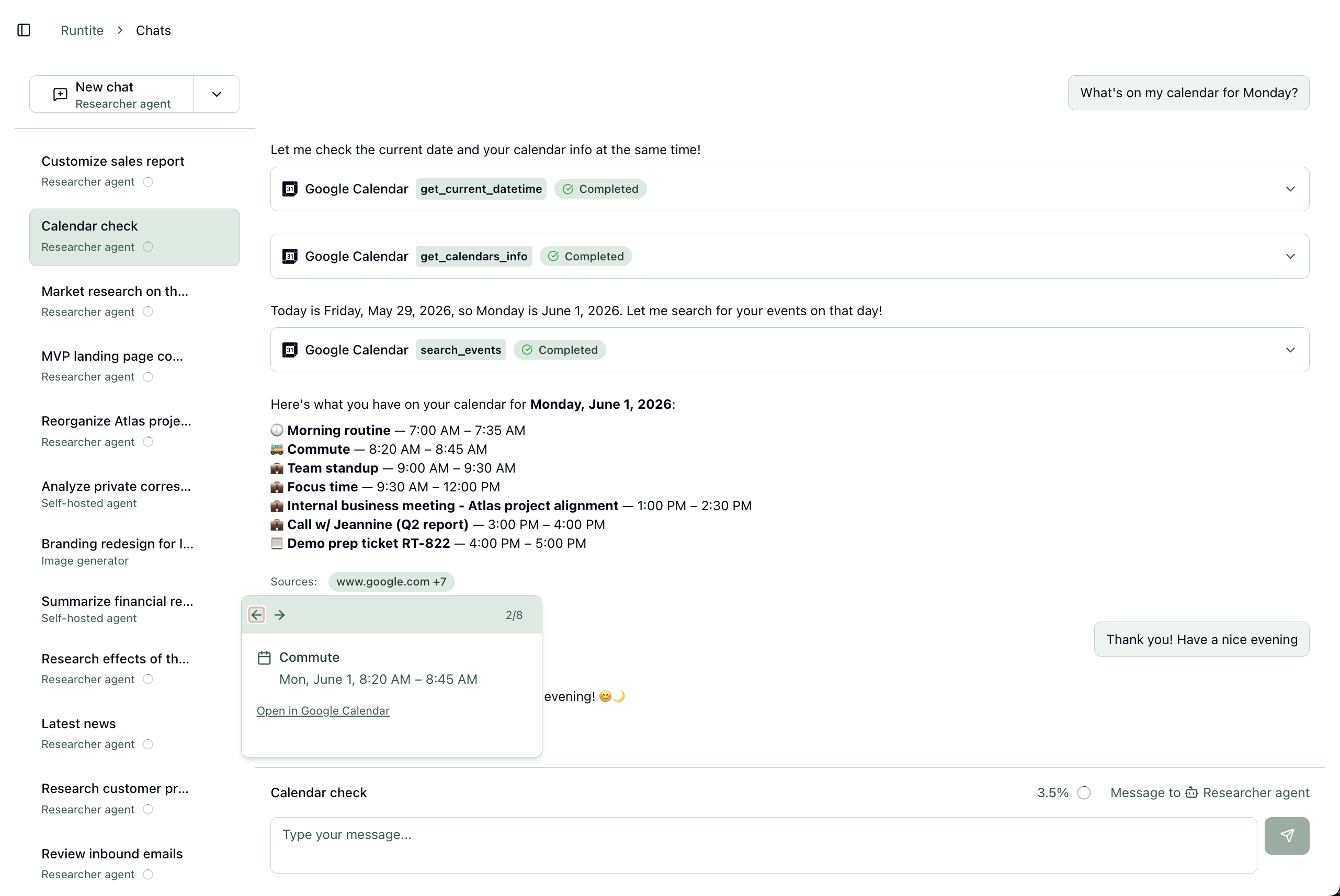
A new agent has joined your team. You can chat with it, and review its work when it runs in the background.
Use the latest models from OpenAI, Anthropic, Google, and more,
or connect to your own self-hosted models with an OpenAI-compatible interface.
Persistent chat history with files, images, and source citations.
See how much of the model's context window a thread is using as it grows.
Approve or deny agent actions without leaving the chat.
Configure agents to run on a schedule, or trigger them from external systems via webhooks.
The agent executes in the background and, if human approval is required, adds a task for your team to review.
Each execution is recorded in an audit trail. See who did what when, and how much it cost.
Generative AI models are eager to, well, generate a lot of output. But how do you control the quality of what's generated?
Runtite gives your team the tools to do so.
Centrally configure which integrations may run automatically and which of them require approval.
When an action needs intervention, Runtite creates a task in the inbox. Your team can review it, and the agent will pick up where it left off.
Adopt AI in your team with guarantees that give you assurance.
Centralized credentials
Connect Gmail, Google Calendar, and other OAuth integrations once per organization.
You can centrally rotate or revoke them, and that will apply to all agents using them.
Runtite (and your agents) never see your passwords.
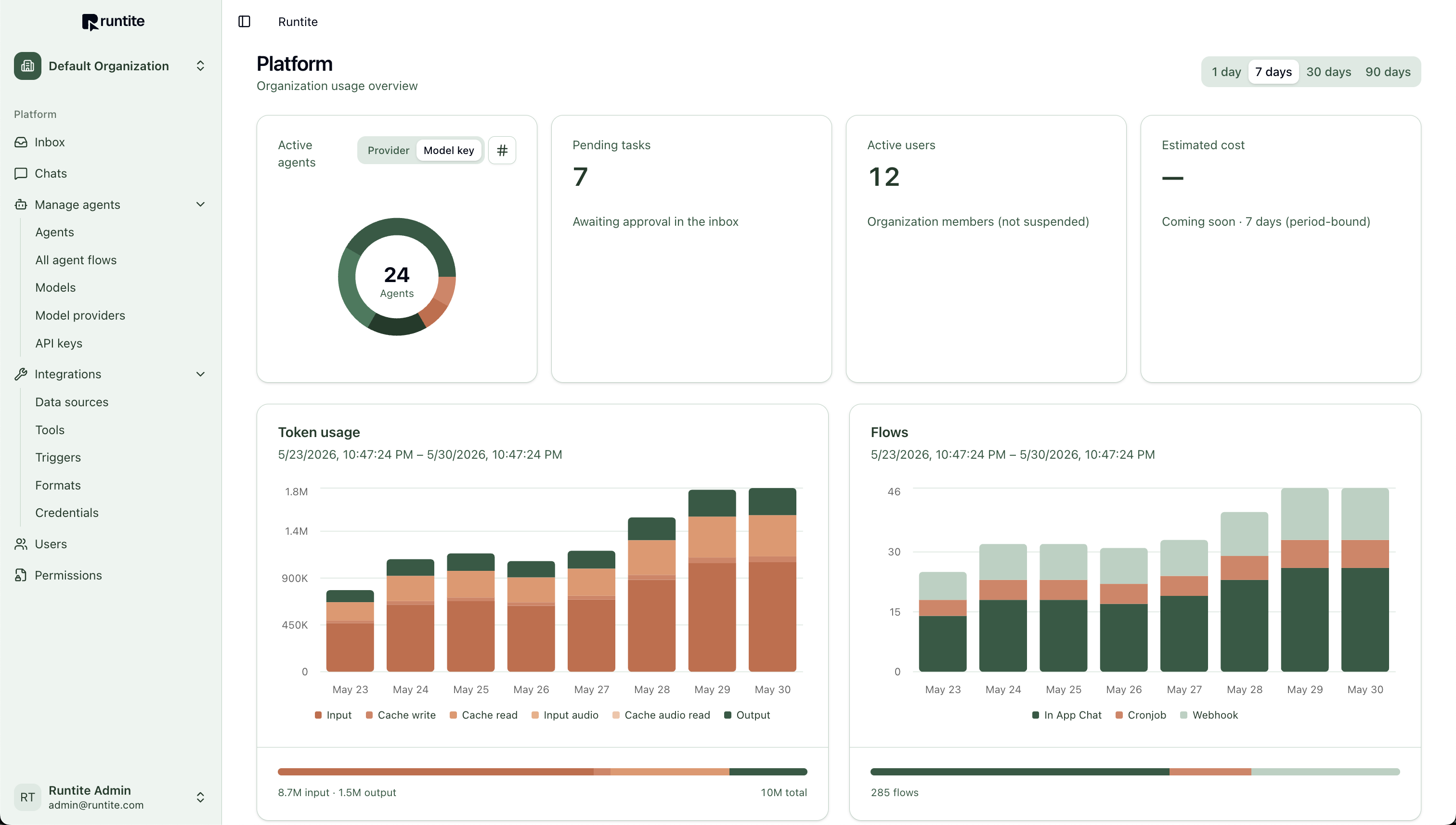
Usage dashboard
Track token usage, agent activity, flow volume by trigger type, pending approvals, and more.
Example breakdown
You pay a flat fee to use Runtite (we don't charge per user). On top of that, you pay for your model usage.
In the future, we want to offer managed credits for your convenience. For now, you can bring your API keys.
During Runtite's beta phase, you only pay for your model usage. The Runtite platform itself is free.
Webhook or form submissions kick off an agent; Sales reviews scored leads and drafts before the agent sends them a follow-up email.
Agents pull upcoming events from Google Calendar, scan related threads in Gmail, and draft a summary for your team before the call.
After a call, your team stores the meeting notes in your internal system. The agent then takes them, pulls context from the meeting invite, and drafts a summary that your team reviews before sending.
Web search and uploaded notes become talking points your team verifies before outreach.
Scheduled runs summarize changes on web search results; Marketing reviews the digest before sharing it internally.
Scheduled agents send a digest to the team on what was worked on last week.
Agents classify incoming requests in your inbox, pull context from your APIs and web results, and propose responses. Your team reviews before the agent replies to your customers.
Agents call your CRM's endpoints to log notes or update records after a customer event happens.
New Jira or Sentry bugs trigger an agent. It gathers context from the Sentry issue, Jira and your code repo, and writes a comment to the ticket with an initial assessment.
Runtite is in active development. We will send you an email when we open up the private beta.